---
title: "Nerd Fonts - Iconic font aggregator, glyphs/icons collection, ..."
description: "!https://www.nerdfonts.com/cheat-sheet"
date: 2025-01-21
published: true
tags:
  - font
  - icons
  - nerdfont
  - thought
template: link
---


<div class="embed-card embed-card-external">
  <a href="https://www.nerdfonts.com/cheat-sheet" class="embed-card-link" target="_blank" rel="noopener noreferrer">
    <div class="embed-card-image">
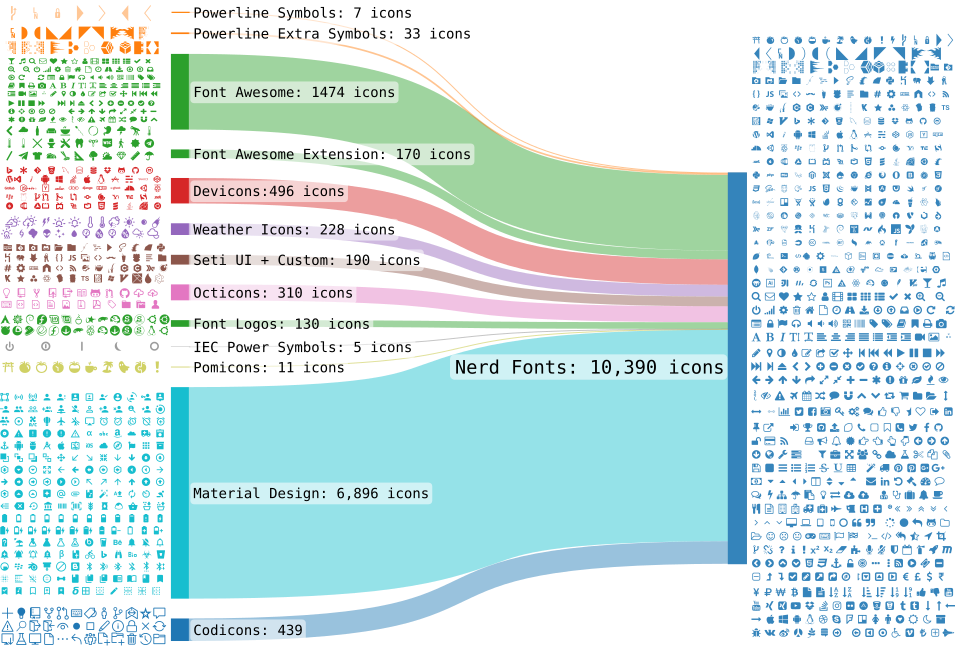
      <img src="https://www.nerdfonts.com/assets/img/sankey-glyphs-combined-diagram.png" alt="Nerd Fonts - Iconic font aggregator, glyphs/icons collection, &amp; fonts patcher — Iconic font aggregator, collection, &amp; patcher: 10,000+ glyph/icons, 70+ patched fonts: Hack, Source Code Pro, more. Popular glyph collections: Font Awesome, Octicons, Material Design Icons, and more" loading="lazy">
    </div>
    <div class="embed-card-content">
      <div class="embed-card-title">Nerd Fonts - Iconic font aggregator, glyphs/icons collection, &amp; fonts patcher</div>
      <div class="embed-card-description">Iconic font aggregator, collection, &amp; patcher: 10,000+ glyph/icons, 70+ patched fonts: Hack, Source Code Pro, more. Popular glyph collections: Font Awesome, Octicons, Material Design Icons, and more</div>
      <div class="embed-card-meta">Nerd Fonts &middot; nerdfonts.com</div>
    </div>
  </a>
</div>


Nerdfont cheatsheet is a fantastic way to copy paste icons into your shell.  I just used it to juice up my starship prompt with my current `$NVIM_APPNAME` managed by <a href="/nvim-manager/" class="wikilink" data-title="nvim-manager" data-description="I recently built a cli application as a nearly-one-shot-app called nvim-manager. It manages your nvim dotfiles install." data-date="2025-01-12">nvim-manager</a>

![image](https://dropper.waylonwalker.com/api/file/3635351b-c006-4cff-8011-85c3b14bfc8f.webp)
